Go to your manage screen and choose the green theme, now go to your clan forums.
Either the clan forums got overlooked when the green theme was made, or the skin doesn't cover the clan forums at all. (Since the other 2 themes would both use black for the forums, I can't tell is this error applies to either of the as well, or just the green theme.)
This bug also exists on the clan main and manage pages (the clan info and clan admin boxes, respectively). The buggy CSS for the main/manage pages is the acenter class. The buggy CSS for the forum is either the forums class or the caption3 class.
Thank you. We know of the problem; just been to busy to fix it just yet. There are some other visibility issues with Green theme as well; so right now it's just discouraged as it's unfinished.
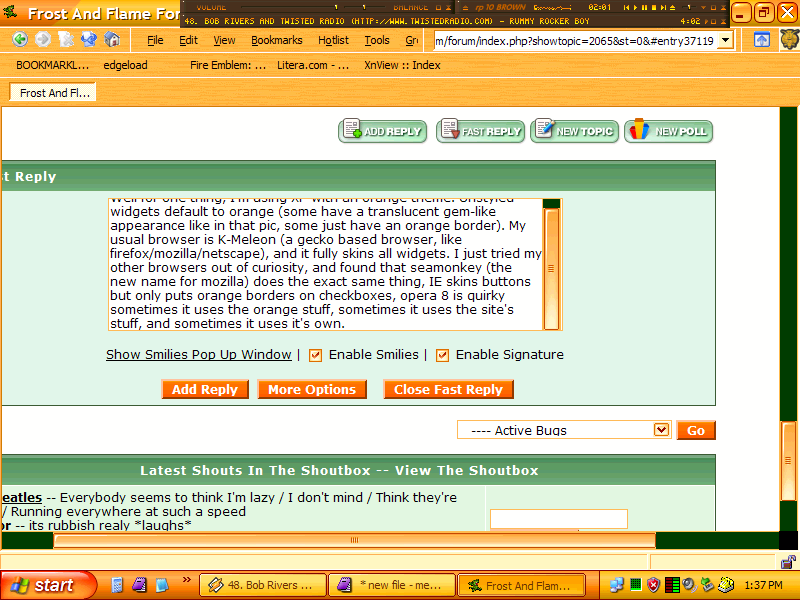
By the way, what browser/OS are you using that your default widgets are orange?
Well for one thing, I'm using XP with an orange theme. Unstyled widgets default to orange (some have a translucent gem-like appearance like in that pic, some just have an orange border). My usual browser is K-Meleon (a gecko based browser, like firefox/mozilla/netscape), and it fully skins all widgets. I just tried my other browsers out of curiosity, and found that seamonkey (the new name for mozilla) does the exact same thing, IE skins buttons but only puts orange borders on checkboxes, opera 8 is quirky sometimes it uses the orange stuff, sometimes it uses the site's stuff, and sometimes it uses it's own.
The main problem is that bb_default_style.css is independant of the regular theme. It needs to load a different css file depending on the overall theme selected.
This is more a design overhaul, so I'm moving this into regular Suggestions & Bugs. Basically, while an annoyance, not an actual code bug.
If you go down to the woods today, you better not go alone
It's a lovely day in the woods today, but safer to stay at home
BECAUSE EVIL FREEN IS KILLING ALL THE TEDDY BEARS AT THEIR PICNIC
The days of bb_default_style.css are now over. I have merged it into layout.css and grey.css. Plus they're valid CSS too according to the W3C. So now all that needs to be done, in order, is to complete green and shadows.
I shall close this topic for now.